Custom Processors
Document AI’s Custom Processors allow you to quickly generate predictions with Generative AI or train your own tailored processors from scratch. Train models with as few as 10 examples to extract custom entities, classify documents, split files, or generate summaries tailored to your needs.
Navigate to Processors → Custom Processors in the sidebar to create a new processor.
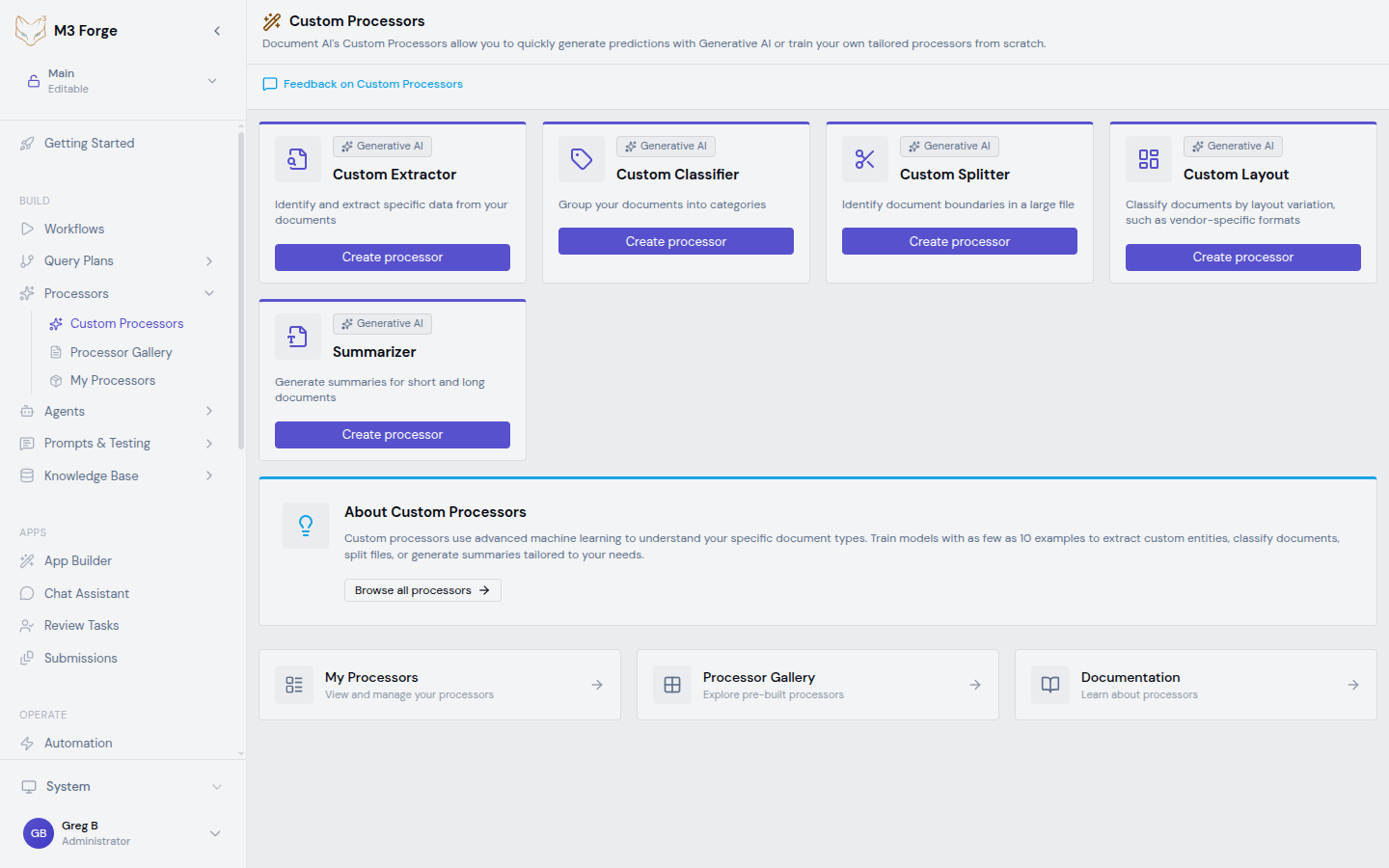
Processor Types
Custom Extractor
Identify and extract specific data from your documents — invoice fields, contract terms, form values, and custom entities
Custom Classifier
Group your documents into categories — document routing, type detection, topic classification
Custom Splitter
Identify document boundaries in a large file — batch scan separation, lending doc packages, email bundles
Custom Layout
Classify documents by layout variation, such as vendor-specific formats — multi-vendor invoices, form templates
Summarizer
Generate summaries for short and long documents — document digests, executive summaries, content previews
All processor types are powered by Generative AI.
Creating a Processor
- Navigate to Processors → Custom Processors
- Click Create processor on the card for the type you need
- Enter a processor name in the slide panel
- Click Create
M3 Forge automatically provisions the processor with an initial version and default query plan. You are redirected to My Processors where you can begin configuring, importing data, and training.
Quick Comparison
| Feature | Extractor | Classifier | Splitter | Layout | Summarizer |
|---|---|---|---|---|---|
| Purpose | Extract field values | Categorize documents | Split multi-doc files | Detect layout variations | Generate summaries |
| Requires training | Yes | Yes | Yes | Yes | No |
| Min examples | 10+ | 10+ per class | 10+ | 5+ per variation | 0 |
| ML model | LayoutLMv3 / LLM | LayoutLMv3 | LayoutLMv3 | LayoutLMv3 | LLM only |
| Output | Structured fields | Category label | Split points | Variation ID | Free-form text |
| AI schema gen | Yes | No | No | No | N/A |
All custom processor types except Summarizer follow the same workflow: Create → Define schema/labels → Import documents → Label examples → Train → Evaluate → Deploy.
Managing Processors
Navigate to Processors → My Processors to view and manage all your created processors.
The page displays processor cards with:
- Name, description, and type badges
- Execution statistics (count, last executed, average time, success rate)
- Version information with active version indicator
- Quick actions: edit, delete, test
Search by name and filter by category (all, custom, general, specialized).
About Custom Processors
Custom processors use advanced machine learning to understand your specific document types. The underlying models combine:
- Generative AI (LLM) — For zero-shot extraction, summarization, and schema generation
- LayoutLMv3 — For trained classification, splitting, and layout detection using both text and visual features
- Hybrid matching — FAISS semantic search + fuzzy string matching for robust field extraction
Processing endpoints follow the pattern: extract_executor://document/{processor_type}
Next Steps
- Browse the Processor Gallery for pre-built models
- Configure Annotators for advanced extraction pipelines
- Learn about Training job management
- Route low-confidence results to HITL review