Human-in-the-Loop (HITL)
Human-in-the-Loop (HITL) systems combine AI automation with human judgment to deliver accuracy beyond what either can achieve alone. M3 Forge’s HITL framework routes uncertain predictions, critical decisions, and edge cases to human reviewers while automating confident predictions.
Why HITL Matters
AI models are powerful but imperfect. HITL addresses real-world challenges:
- Confidence Thresholds — AI predictions below confidence thresholds require human verification
- Critical Decisions — High-stakes operations (approvals, financial transactions) need human oversight
- Edge Cases — Unusual or ambiguous inputs that models haven’t seen before
- Continuous Improvement — Human corrections train models to handle difficult cases
- Compliance — Regulatory requirements often mandate human review for certain decisions
HITL isn’t a failure of automation. It’s intelligent routing that ensures quality while maximizing efficiency.
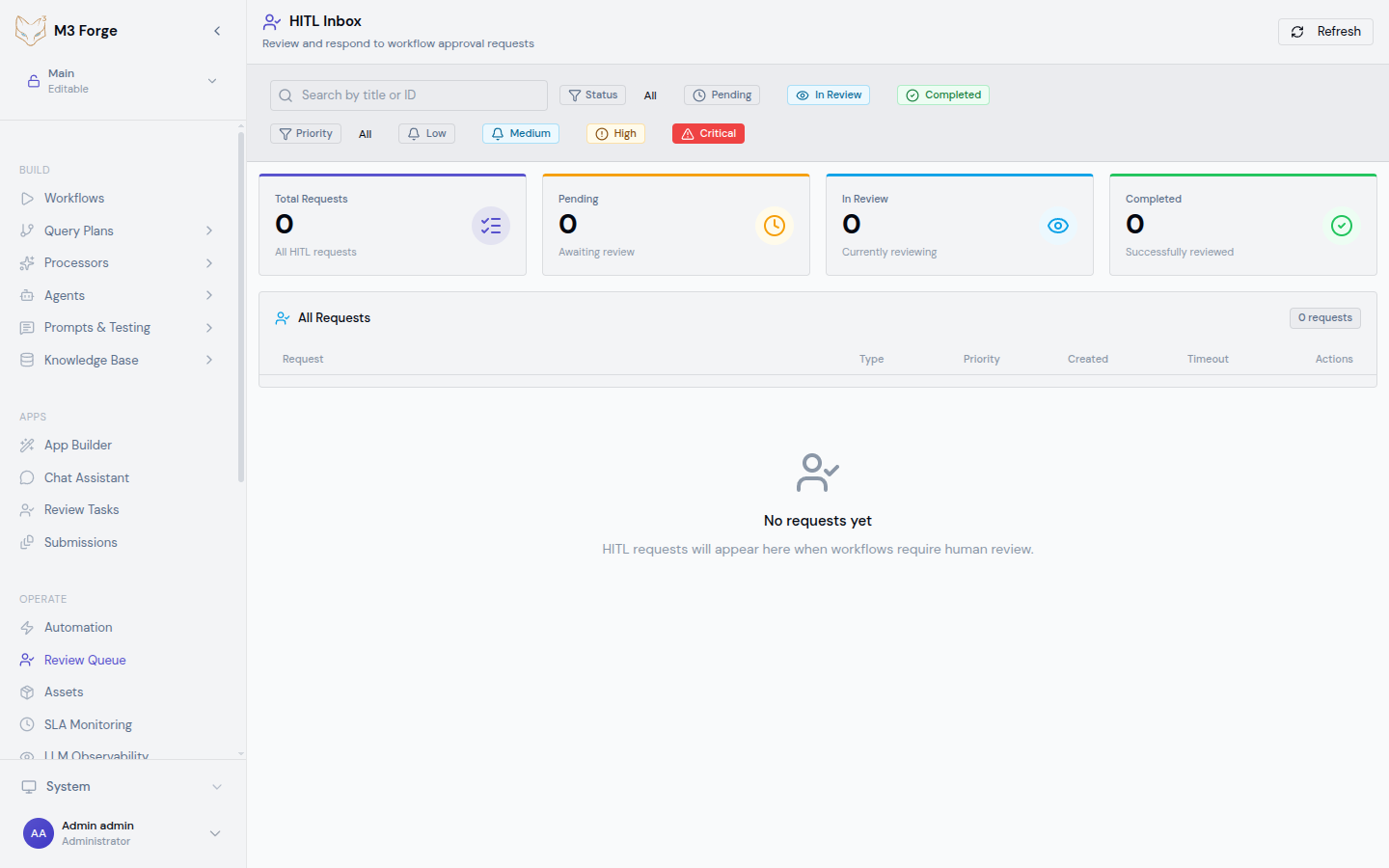
HITL Request Types
M3 Forge supports three core HITL patterns:
Approval Requests
Route decisions to humans for explicit approval:
- Workflow gates — Pause workflow until human approves continuation
- High-value transactions — Require approval before processing payments or contracts
- Policy compliance — Verify operations meet business rules
- Risk mitigation — Human judgment on edge cases
Approval requests block downstream processing until resolved.
Correction Requests
Send AI predictions to humans for verification and correction:
- Low-confidence extractions — Verify extracted field values
- Classification review — Confirm or correct predicted document types
- Quality assurance — Spot-check automated processing results
- Ground truth creation — Collect corrections for model training
Corrections can continue processing with original prediction (async) or wait for human input (sync).
Router Requests
Let humans make routing decisions:
- Complex branching — Choose next workflow step based on document content
- Escalation paths — Route to specialist teams based on issue type
- Multi-option decisions — Select from multiple possible next steps
- Contextual routing — Use human judgment for ambiguous cases
Router requests determine workflow execution path.
All HITL request types support priority levels (low, medium, high, critical) and timeout handling for SLA compliance.
HITL Workflow Integration
HITL integrates directly into workflows via specialized nodes:
[Extract Fields] → [Confidence Check] → [HITL Correction] → [Save to DB]
                         ↓ (if confidence > 0.9)
                    [Skip Review] ────────────────────┘
Configure confidence thresholds, routing logic, and timeout behavior in workflow node settings.
Integration Patterns
Automatic Routing:
- Configure confidence threshold (e.g., 0.85)
- Predictions above threshold process automatically
- Predictions below threshold route to HITL
- No workflow changes required
Conditional HITL:
- Use workflow conditionals to determine when HITL is needed
- Route based on field values, document types, business rules
- Combine AI confidence with business logic
Staged Review:
- Initial HITL for high-value items
- Automatic processing after confidence improves
- Periodic audits even for high-confidence predictions
Escalation Chains:
- First-level review by operations team
- Escalate to specialists if unresolved
- Management approval for high-value decisions
Request Lifecycle
HITL requests flow through well-defined states:
| State | Description | Next States |
|---|---|---|
| Pending | Awaiting assignment or review | In Review, Auto-Approved, Timeout |
| In Review | Currently being reviewed by user | Completed, Escalated, Cancelled |
| Completed | Resolved with decision or correction | (terminal state) |
| Auto-Approved | Automatically approved after timeout | (terminal state) |
| Timeout | Exceeded SLA without resolution | Escalated, Cancelled |
| Escalated | Sent to higher-level reviewer | In Review, Completed |
| Cancelled | Workflow cancelled, request no longer needed | (terminal state) |
State Transitions
- Pending → In Review — User claims request
- In Review → Completed — User submits decision
- Pending → Auto-Approved — Timeout with auto-approve enabled
- Pending → Timeout — SLA exceeded without auto-approve
- In Review → Escalated — User escalates to specialist
- Escalated → In Review — Specialist claims escalated request
Priority Levels
Requests are prioritized for efficient queue management:
| Priority | Use Case | Typical SLA | Auto-Approve on Timeout |
|---|---|---|---|
| Critical | Business-critical operations, high-value transactions | 1 hour | No |
| High | Important decisions, customer-facing operations | 4 hours | Configurable |
| Medium | Standard processing, routine approvals | 24 hours | Configurable |
| Low | Non-urgent, batch processing | 7 days | Yes |
Configure priority rules based on:
- Document value or transaction amount
- Customer tier or account type
- Workflow context (e.g., urgent customer request)
- AI confidence score (lower confidence = higher priority)
Critical requests disable auto-approval by default. Timeout results in escalation, not automatic processing.
SLA Tracking
M3 Forge tracks request resolution time against SLAs:
Metrics:
- Time to first review (queue time)
- Time to resolution (total handling time)
- SLA compliance rate (% resolved within target)
- Average resolution time by priority and type
Alerts:
- Warning at 50% of SLA elapsed
- Urgent alert at 80% of SLA elapsed
- Escalation trigger at 100% of SLA
Reporting:
- SLA compliance dashboards
- Bottleneck identification
- Reviewer performance metrics
Configure SLA targets and alert thresholds in HITL settings.
Review Assignment
Requests can be assigned using multiple strategies:
Manual Assignment:
- Reviewers claim requests from inbox
- First-come, first-served queue
- Enables specialization (reviewers pick familiar types)
Automatic Assignment:
- Round-robin distribution across reviewers
- Skill-based routing (match request type to reviewer expertise)
- Load balancing (assign to least busy reviewer)
Team Queues:
- Requests assigned to teams, not individuals
- Any team member can claim and resolve
- Manager oversight and reassignment
Hybrid Approach:
- Auto-assign to team queue
- Team members claim from shared queue
- Escalations route to specific specialists
Configure assignment strategy in HITL administration settings.
Multi-Reviewer Workflows
Some decisions require multiple approvals:
Unanimous Approval:
- All assigned reviewers must approve
- Single rejection blocks workflow
- Use for high-risk decisions
Majority Vote:
- Approval requires N of M reviewers to approve
- Resolves when majority reached
- Faster than unanimous for large reviewer groups
Sequential Review:
- First reviewer completes, then next reviewer assigned
- Enables escalation chains
- Each reviewer sees previous decisions
Enable multi-reviewer mode in HITL node configuration.
Next Steps
Explore HITL workflows and interfaces:
Review Queue
Manage and prioritize incoming HITL requests
Review Panel
Complete reviews with annotation and correction tools
Submissions
Submit documents for AI processing and review
Integration Points
HITL connects across M3 Forge:
- Workflows — HITL nodes integrate into any workflow
- Processors — Route low-confidence predictions to review
- Agents — Human oversight for agent decisions
- Knowledge Base — Verify extracted entities before indexing
- Monitoring — Track HITL metrics and SLA compliance
HITL is the quality assurance layer that makes AI automation production-ready.