Administration
Platform administration for multi-tenant environments, user management, LLM provider configuration, and security settings.
Overview
M3 Forge provides comprehensive administration capabilities for managing:
- Workspaces — Multi-tenant isolation with separate data and resources
- Users and roles — RBAC with fine-grained permissions
- LLM connections — Configure multiple AI providers and models
- API keys — Programmatic access control and authentication
- System settings — Theme, notifications, integrations
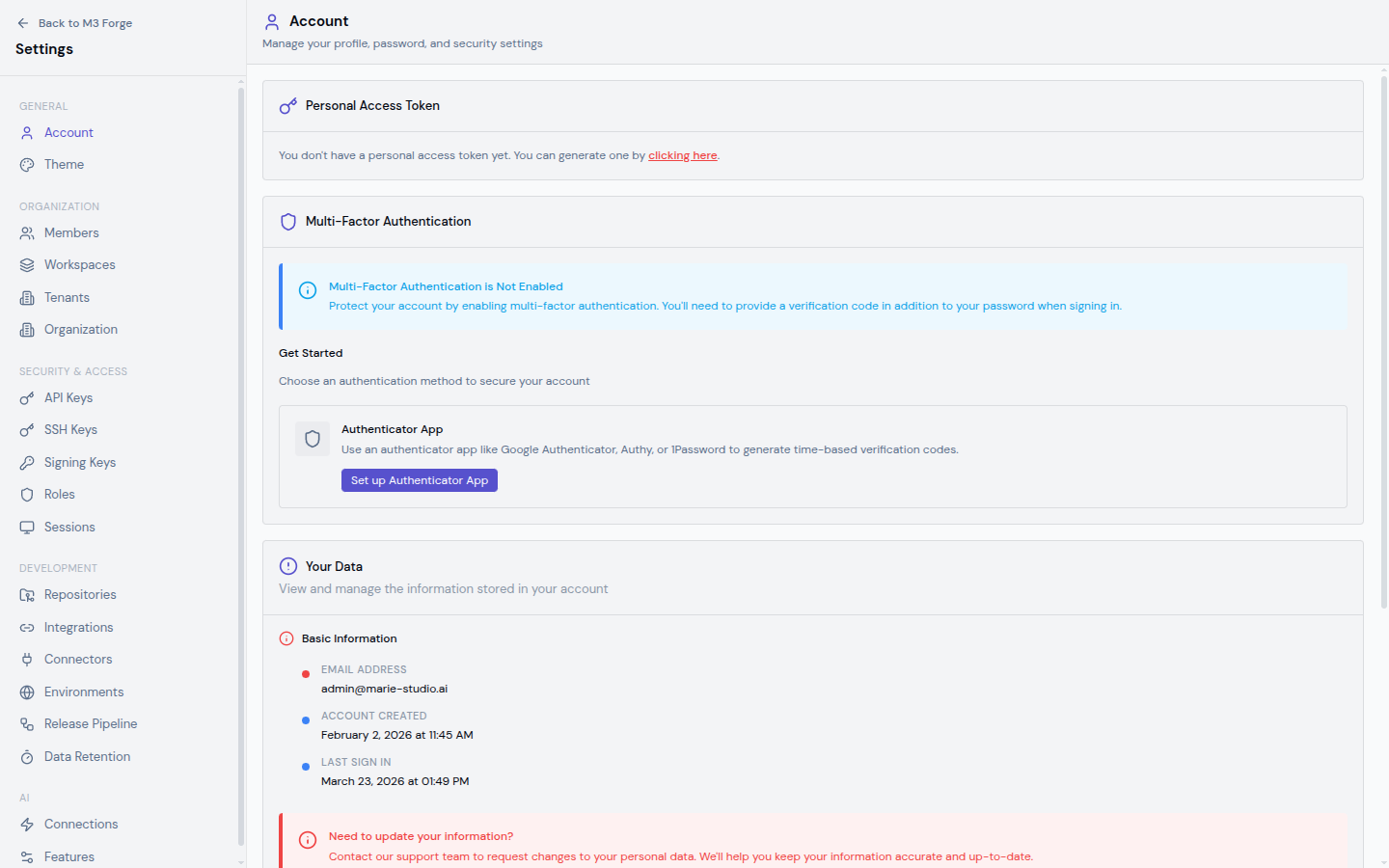
Administrators access these features via the Settings section in the navigation menu.
Multi-Tenancy
M3 Forge supports multi-tenant deployments where each workspace provides:
- Data isolation — Workflows, prompts, and configurations are workspace-scoped
- Resource quotas — Set limits on storage, API calls, workflow executions
- Team management — Independent user lists and role assignments per workspace
- Billing separation — Track usage and costs per workspace
This enables:
- SaaS deployments serving multiple organizations
- Department isolation within large enterprises
- Client separation for consulting firms
See Workspaces for details.
Role-Based Access Control
M3 Forge uses a role-based permission model with predefined and custom roles.
Built-in Roles
| Role | Permissions | Use Case |
|---|---|---|
| Owner | Full platform access including user management | Workspace administrators |
| Admin | All features except user/workspace management | Technical leads |
| Editor | Create and edit workflows, prompts, agents | Engineers and data scientists |
| Viewer | Read-only access to all resources | Stakeholders and auditors |
| Operator | Run workflows, view monitoring | Operations team members |
Custom Roles
Create custom roles with specific permission combinations:
- Workflow permissions — Create, read, update, delete, execute
- Prompt permissions — Create, read, update, delete, test
- Settings permissions — View, update system configuration
- User permissions — Invite, manage roles, remove users
See Users and Roles for configuration.
LLM Provider Management
M3 Forge supports multiple LLM providers simultaneously, enabling:
- Model diversity — Use different models for different tasks
- Provider redundancy — Failover if one provider has an outage
- Cost optimization — Route requests to most cost-effective provider
- Geographic compliance — Use region-specific endpoints
Supported Providers
| Provider | Models | Features |
|---|---|---|
| OpenAI | GPT-4o, GPT-4 Turbo, GPT-3.5 | Function calling, vision, embeddings |
| Anthropic | Claude 3.5 Sonnet, Claude 3 Opus, Claude 3 Haiku | Long context, extended thinking |
| Qwen | Qwen-2.5, Qwen-VL | Multilingual, vision-language |
| Google Vertex AI | Gemini 1.5 Pro, Gemini 1.5 Flash | Multimodal, long context |
| Azure OpenAI | GPT-4o, GPT-4, GPT-3.5 | Enterprise features, compliance |
| Bedrock | Claude, Llama, Titan | AWS-native deployment |
Each provider connection can have multiple API keys for load balancing and failover.
See LLM Connections for setup.
API Key Management
Generate API keys for programmatic access to M3 Forge:
- Workflow execution — Trigger runs via REST or tRPC
- Data ingestion — Upload documents for processing
- Monitoring integration — Query metrics and logs
- CI/CD pipelines — Automated deployment of workflows
API keys support:
- Scoped permissions — Limit keys to specific operations
- Expiration — Set time-based validity
- Rotation — Update keys without downtime
- Audit logging — Track all API key usage
See API Keys for details.
Settings Organization
The Settings interface is organized into sections:
General
- Workspace name — Display name for current workspace
- Theme — Light, dark, or system preference
- Language — Interface localization (English, Spanish, French, etc.)
- Timezone — For timestamp display
Security
- Session timeout — Automatic logout after inactivity
- Password policy — Complexity requirements
- Two-factor authentication — Enforce 2FA for all users
- IP allowlist — Restrict access to specific networks
Integrations
- Webhooks — Outbound notifications for events
- OAuth providers — SSO with Google, GitHub, Microsoft
- SAML — Enterprise SSO integration
- Audit log exports — Send logs to external SIEM
Notifications
- Email alerts — Workflow failures, usage limits
- Slack integration — Real-time notifications
- Webhook notifications — Custom integrations
Billing
- Usage dashboards — API calls, storage, compute
- Quota management — Set limits per workspace
- Invoice history — Download past invoices
- Payment methods — Credit card, ACH, invoicing
Billing features are only available in multi-tenant SaaS deployments. Self-hosted installations do not include billing.
Admin Dashboard
The Admin Dashboard provides at-a-glance monitoring:
System Health
- Service status — API server, database, storage, queue
- Response times — 95th percentile latency
- Error rates — Failed requests per minute
- Uptime — Service availability percentage
Usage Metrics
- Active users — Unique users in last 24 hours
- Workflow executions — Runs per day
- LLM API calls — Requests to external providers
- Storage utilization — Documents, logs, artifacts
Resource Consumption
- CPU usage — Across all services
- Memory usage — Database, API server, workers
- Disk I/O — Read/write throughput
- Network bandwidth — Ingress/egress
Recent Activity
- New users — Recent registrations
- Failed logins — Potential security issues
- Workflow errors — Recent failures
- API key usage — Top consumers
Getting Started
Workspaces
Set up multi-tenant workspaces with data isolation and resource quotas.
Users & Roles
Manage users and configure role-based permissions.
LLM Connections
Connect to OpenAI, Anthropic, Qwen, and other LLM providers.
API Keys
Generate and manage API keys for programmatic access.
Best Practices
Workspace Structure
For enterprise deployments:
- One workspace per department — Finance, HR, Legal each get isolated environments
- Shared workspace for common resources — Company-wide prompt library, shared workflows
- Development and production workspaces — Separate environments for testing vs production
Role Assignment
Follow the principle of least privilege:
- Start users with Viewer role and grant additional permissions as needed
- Use Editor role for day-to-day work, not Admin
- Reserve Owner role for 1-2 people per workspace
- Create custom roles for specialized needs (e.g., “Prompt Engineer” with full prompt access but no workflow editing)
LLM Connection Management
- Use provider-specific API keys — Don’t share keys across providers
- Set rate limits — Prevent accidental spend on expensive models
- Monitor usage — Set up alerts for unusual consumption
- Rotate keys quarterly — Regular key rotation for security
API Key Hygiene
- Set expiration dates — Force periodic rotation
- Scope narrowly — Each key should have minimal necessary permissions
- Name descriptively — Include purpose and owner (e.g., “CI-Pipeline-Deploy-Key”)
- Revoke unused keys — Clean up old or forgotten keys
Security Considerations
Authentication
M3 Forge supports:
- Email/password with strong password policies
- OAuth 2.0 — Google, GitHub, Microsoft SSO
- SAML — Enterprise identity providers
- Two-factor authentication — TOTP or SMS
Authorization
- All actions are permission-checked against user roles
- Workspace isolation enforced at database query level
- API keys inherit permissions from creating user
- Admin actions are logged for audit
Data Protection
- Encryption at rest — Database and storage encrypted
- Encryption in transit — TLS for all API communication
- Secret management — API keys stored hashed
- PII handling — Configurable data retention and anonymization
Compliance
M3 Forge provides features for:
- SOC 2 — Audit logging, access controls
- GDPR — Data export, right to deletion
- HIPAA — PHI handling with BAA support
- ISO 27001 — Security policies and procedures
See contract/security.md in the Marie ecosystem for complete security standards.
Troubleshooting
Cannot Access Settings
Cause: User lacks admin permissions.
Solution: Workspace owner must grant admin or owner role.
LLM Connection Failing
Cause: Invalid API key or network connectivity issue.
Solution: Test connection in LLM Connections settings. Check API key validity with provider.
Users Not Receiving Invites
Cause: Email delivery issues or spam filtering.
Solution: Check email settings under Integrations. Ask users to check spam folder. Use OAuth instead of email invites.
API Key Not Working
Cause: Key expired, insufficient permissions, or incorrect scope.
Solution: Regenerate key with correct permissions and expiration. Check audit logs for failed authentication attempts.
Next Steps
- Configure multi-tenant workspaces
- Set up user roles and permissions
- Connect LLM providers
- Generate API keys for automation
- Review security standards