Monitoring
Track AI workload performance, cost, and system health with real-time observability dashboards.
What is Monitoring?
M3 Forge provides production-grade observability for AI workflows, LLM invocations, and system performance. Monitoring enables you to:
- Track LLM costs across models and workflows to optimize spending
- Analyze latency to identify bottlenecks and improve user experience
- Debug failures with detailed trace inspection and replay
- Measure SLA compliance to ensure service level commitments
- Understand usage patterns to inform capacity planning
All monitoring data is stored in ClickHouse for high-performance analytics on large-scale event streams.
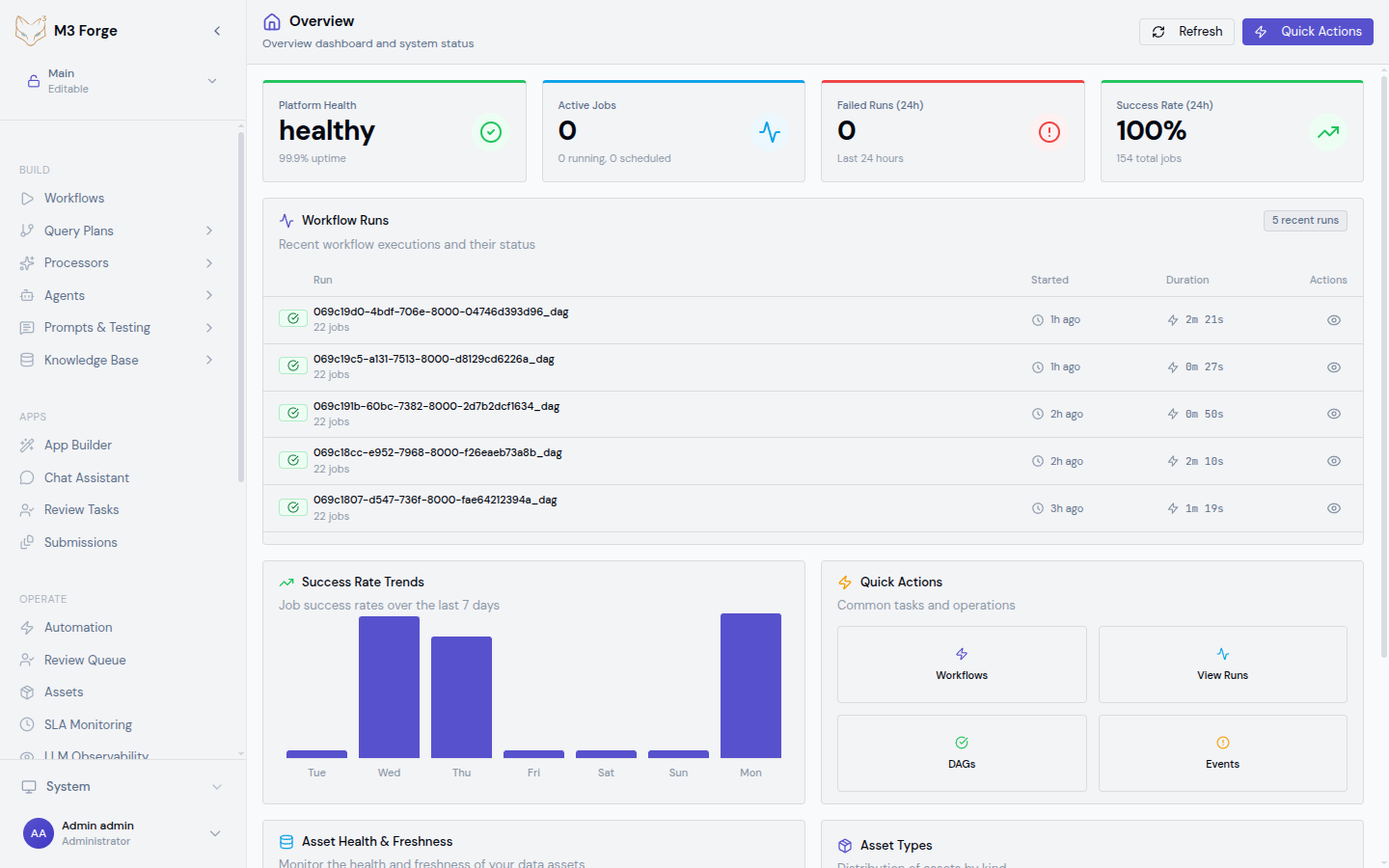
Observability Philosophy
M3 Forge follows the three pillars of observability:
- Metrics - Aggregated measurements (token counts, costs, latency percentiles, failure rates)
- Logs - Detailed event streams from workflow executions and LLM calls
- Traces - End-to-end request flows with timing and context for each step
These combine to give you full visibility into production AI operations without manual instrumentation.
What is Tracked
LLM Calls
Every LLM invocation is automatically instrumented with:
- Request metadata - Model, temperature, max tokens, system prompt
- Response data - Token counts (input, output, total), finish reason
- Cost calculation - Pricing per model from provider rate cards
- Latency breakdown - Time to first token, total generation time
- Context - Workflow ID, node ID, user ID, run ID
Workflow Executions
Workflow runs capture:
- Execution metrics - Total runtime, success/failure status, retry counts
- Node-level timing - Duration for each node in the DAG
- Data flow - Inputs and outputs at each step (with PII masking)
- Error details - Stack traces, validation failures, timeout events
System Health
Infrastructure metrics include:
- API server health - Request throughput, error rates, response times
- Database performance - Query latency, connection pool usage
- Gateway status - Connectivity to Marie-AI backend instances
- Job queue depth - Pending workflow executions, backlog trends
- LLM dispatch state - Pending and in-flight executor LLM requests, dispatcher health, producer drops, and completed execution history
Dashboards
M3 Forge provides specialized dashboards for different observability needs:
Data Retention
Monitoring data is retained according to these policies:
| Data Type | Retention | Storage |
|---|---|---|
| LLM traces | 90 days | ClickHouse (hot), S3 (cold archive) |
| Workflow logs | 30 days | PostgreSQL |
| Aggregated metrics | 1 year | ClickHouse materialized views |
| SLA violation events | 2 years | PostgreSQL |
Retention policies are configurable via environment variables. See Configuration for details.
Privacy and Security
PII Masking
M3 Forge automatically masks personally identifiable information in logs and traces:
- Email addresses - Replaced with
***@***.*** - Phone numbers - Replaced with
***-***-**** - API keys - Only first 4 and last 4 characters shown
- Custom patterns - Configure additional regex-based masking rules
Access Control
Monitoring data access is role-based:
- Admins - Full access to all traces, logs, and cost data
- Developers - Access to traces for workflows they own
- Viewers - Read-only access to aggregated metrics only
Audit Trail
All monitoring data access is logged to the audit trail, including:
- Who viewed specific traces
- When cost reports were exported
- Filter criteria used in dashboard queries
Cost Optimization
Use LLM Observability to reduce AI infrastructure costs:
- Identify expensive workflows - Sort by total cost to find optimization opportunities
- Compare models - Analyze cost vs. quality tradeoffs between GPT-4, Claude, and smaller models
- Detect token waste - Find prompts with excessive input tokens or unnecessary context
- Track prompt engineering - Measure cost impact of system prompt changes
- Set budgets - Configure alerts when daily/monthly spending exceeds thresholds
Performance Debugging
Use Traces and Insights to diagnose slow workflows:
- Find slow nodes - Identify DAG nodes with high p95 latency
- Analyze LLM calls - Check if time-to-first-token indicates gateway issues
- Inspect retries - See how many workflow runs failed and retried
- Compare runs - Diff two executions to understand variability
- Profile execution - Export trace data for external analysis
Next Steps
- Set up LLM Observability to track costs and usage
- Inspect LLM Dispatch Runtime when executor LLM calls queue, stall, or fail
- Learn how to inspect traces for debugging
- Configure SLA thresholds for critical workflows
- Review Insights for workflow performance trends